

In short-video field, Kwai has always been one of the most popular platforms. With its diverse content, it attracts a huge number of users to actively upload and share creative videos every day. During the browsing process, we often come across some wonderful videos that we admire. We hope to download them so that we can enjoy them at any time or share them with our relatives and friends. However, the videos downloaded from Kwai carry watermarks, which to some extent affects the viewing experience and is rather inconvenient for some users with higher requirements. So, how can we download Kwai videos without watermarks?
In this article, I will introduce in detail several common and effective methods to help you easily obtain Kwai videos without watermarks, allowing you to enjoy the pleasure brought by your favorite videos more freely.
Method 1: Use third-party download tools
There are quite a number of online websites and tools that support downloading Kwai videos without watermarks. The significant advantage of such tools is that there is no need to install any software, and the operation process is extremely simple. Here are the common operation steps for you:
Step 1: Copy the video link. You can open the Kwai app or log in to the Kwai PC web version to find the video you like. Click the share button of the video and select “Copy video link” from the pop-up options.
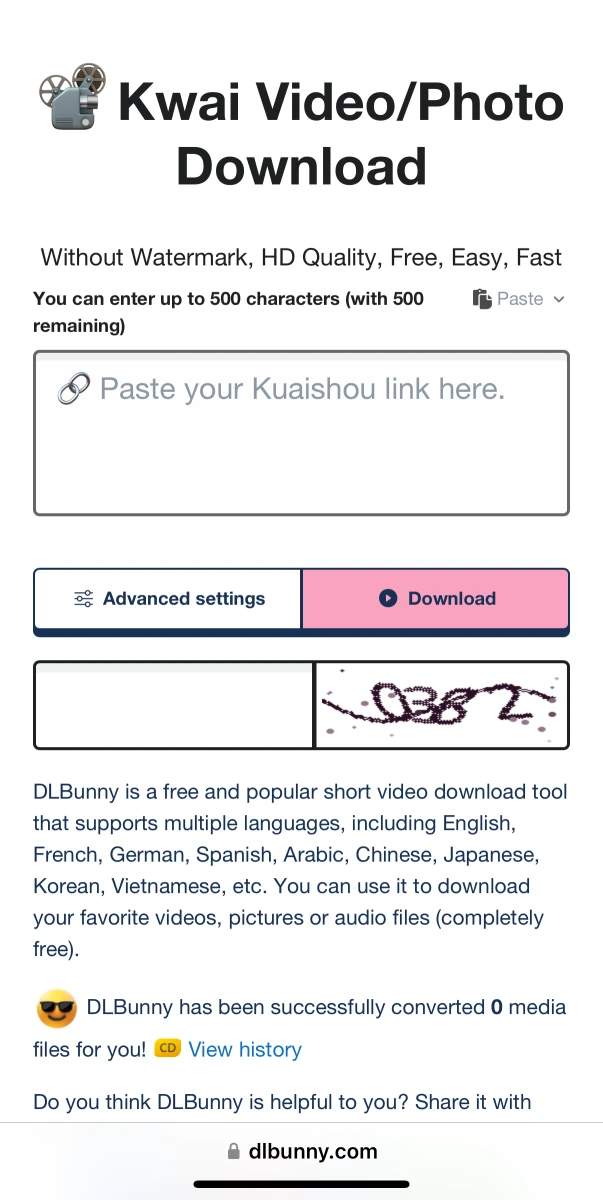
Step 2: Open the parsing website. Then, open your preferred browser and enter the address of the “Kwai video parser website (dlbunny.com)” in the address bar and visit the website.
Step 3: Parse the video. After entering the website, paste the copied video link into the designated location and then click the “Parse” button.
Step 4: Download the video. After the parsing is completed, a download button will appear on the page. Click this button, and you can successfully download the Kwai video without watermarks.
Method 2: Use the built-in download function of Kwai
In fact, Kwai itself also provides some ways to download videos “without watermarks”, but you need to master some tips. Here is a method of downloading by saving the video as a draft first.
The specific operation steps are as follows:
- Copy the video link: Find the video you want to download in the Kwai app. Tap the share button and select “Copy Link” from the pop-up options.
- Create a draft video: Open the “Edit” interface of the Kwai app. Paste the just-copied video link into it to create a new “draft” video.
- Save to local: After successfully saving the video as a draft, enter the editing interface again. Without making any changes to the video, directly click the “Save to Local” option.
It should be noted that since it is a saved draft, in some cases the watermark may be removed, but the specific effect may vary depending on the version of Kwai. This method cannot guarantee that the watermark can be removed successfully every time. However, it is easy to operate and does not require the use of additional tools, so it is definitely worth giving it a try.
Method 3: Screen recording on mobile phone
If the methods introduced above don’t quite suit you, or you encounter some special video links that prevent you from successfully downloading Kwai videos, then here is a general “ultimate solution”: use the screen recording function of your mobile phone.
The specific operation steps are as follows:
- Adjust the playback mode: Open the Kwai app, find the video you want to download, and switch it to full-screen playback mode.
- Enable the screen recording function: Most smartphones come with a built-in screen recording function. You just need to find and enable it. The operation methods for screen recording may vary slightly among different brands of mobile phones. Generally, you can find it in the control center or settings menu of your phone.
- Perform the screen recording operation: While the video is playing, start recording the screen. After the video finishes playing, save the screen recording file.
- Simple video editing: You can also use some video editing software to perform simple processing on the recorded video. For example, cut off the redundant parts at the beginning and end to make the video more concise.
This method of using mobile phone screen recording has obvious advantages. It is not restricted by the Kwai version or external tools. As long as the video can be played normally, it can be successfully recorded. However, it should be noted that the clarity and sound quality of the video obtained through screen recording may be slightly inferior to those of directly downloaded videos.
Through the several methods introduced above, we can easily download our favorite Kwai videos without watermarks to our local devices. Whether using online tools, dedicated software, or relying on the developer mode or mobile phone screen recording, each method has its unique advantages and applicable scenarios. You can choose the most suitable way to save the video according to your actual needs and technical proficiency.