

1.Launch the TikTok app.
2.Play the Panorama video or Panorama photo you want to download.
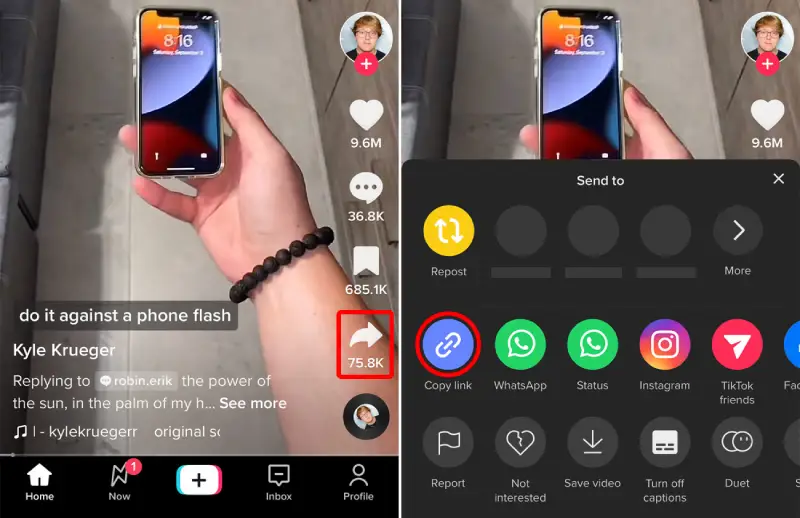
3.Click on the Share icon at the right-side menu, once a sharing menu appears on the screen, select Copy link.
4.If you are using the desktop version of TikTok, hover over the share icon and select the social media platform to which you want to share your video. Choose between sharing it on your feed, story, or as a message, and share away!
5.Go back to dlbunny.com home page.
6.Paste the share link, enter the verification code and click download button.
7.Wait a few seconds until your TikTok video/pictures will be saved to your device.