

Here’s a quick, step‑by‑step guide on how to download watermark‑free DouYin and TikTok videos or photo (wallpapers) using dlbunny.com, This guide will detail how to use DLBunny qucikly.
1. Copy the Douyin or TikTok Link
- Open the Douyin or TikTok app or website.
- Navigate to the video or image you want as your wallpaper.
- Tap Share and then “Copy Link”.
2. Open dlbunny.com
- Option A: In your browser’s search bar, type “TikTok dlbunny” and click the official result.
- Option B: Go to dlbunny.com directly.
3. Paste Your Share Link
- On dlbunny.com’s homepage, locate the input box (usually labeled “Enter TikTok URL”).
- Paste the link you copied into the input box.
- Click Download (or the→ arrow) to process the URL.
- We support the following links:
https://vm.tiktok.com/ZMLp2UG/
https://v.douyin.com/8Tdgeu/
https://www.tiktok.com/@xx/video/680586780545
https://m.tiktok.com/v/680586780545.html
https://www.tiktok.com/@evynhuynh/photo/7367130722806648106
https://www.douyin.com/video/705187728920004
https://www.douyin.com/shipin/7344374652132968484
https://www.douyin.com/discover?modal_id=7069543727328398622
4. Choose & Download
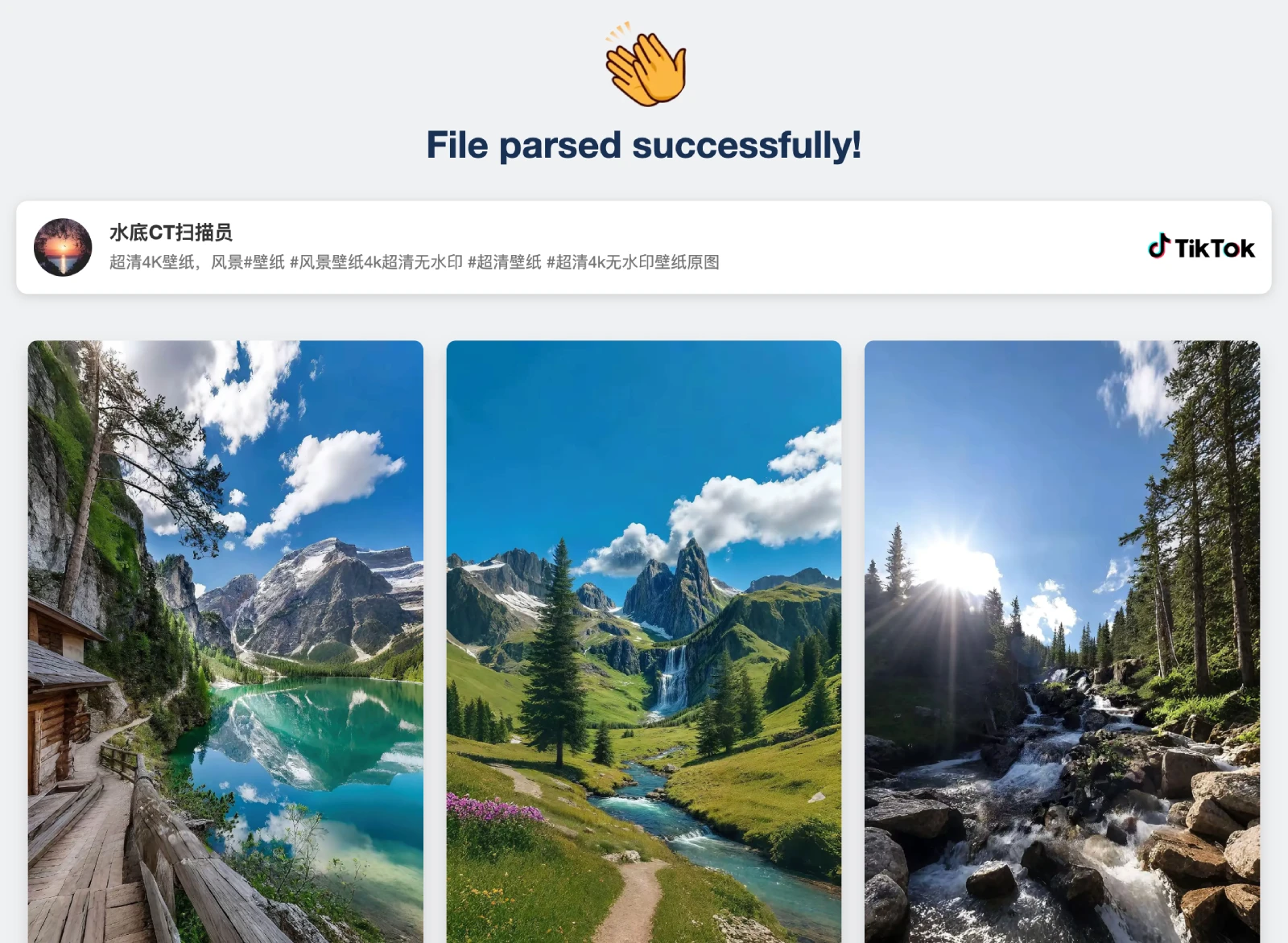
- Once processing is complete, you’ll see dwonload options for:
- Watermark‑free Photo
- High‑resolution Image (Wallpaper)
- Click the appropriate Download button.
- The file will save to your device—ready to set as your new wallpaper!
📲 Tips & Notes
- No login required: dlbunny works instantly without signing up.
- Formats: Videos typically download as MP4; Music as mp3; images as JPG/Webp/PNG.
- Safety: Always respect creators’ rights—use for personal, non‑commercial purposes.
- Quickly: Multiple parsing lines and rapid support response enable quick decoding in a short time.
Enjoy your new TikTok wallpapers! 🎉